User Guide for Private Notes
User Guide: Private Notes a Zoho CRM Extension
Introduction:
Introduction:
The purpose of this extension was for sales teams to be able to take private notes associated to a meeting, but related to a contact.
Before Installation:
Make sure you have the User Group "Private Note - EO Meetings With Network"
After Installation:
When creating a meeting make sure that the contact is associated to the meeting through the "Related To" field. Make sure the contact is linked to an account!
To Use From the Meetings Module:
To use the private notes function make sure you are in the meeting record then click "Private Notes".
Using Private Notes:
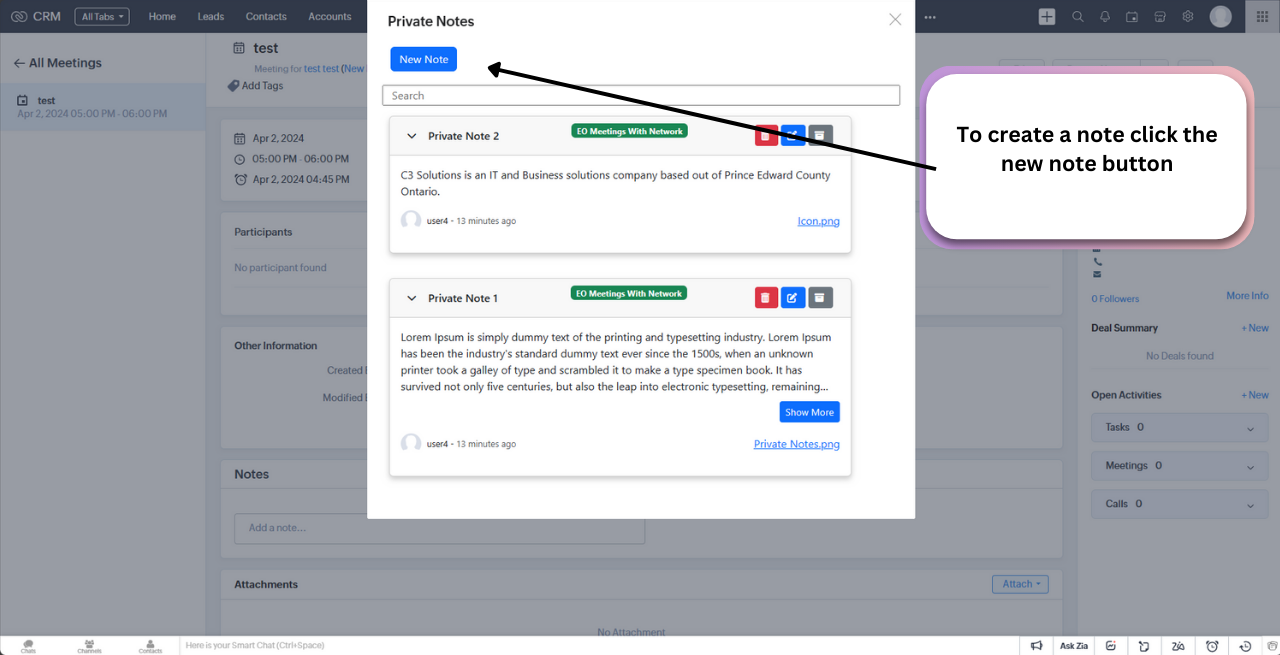
To create a note you must click the new note button at the top left.
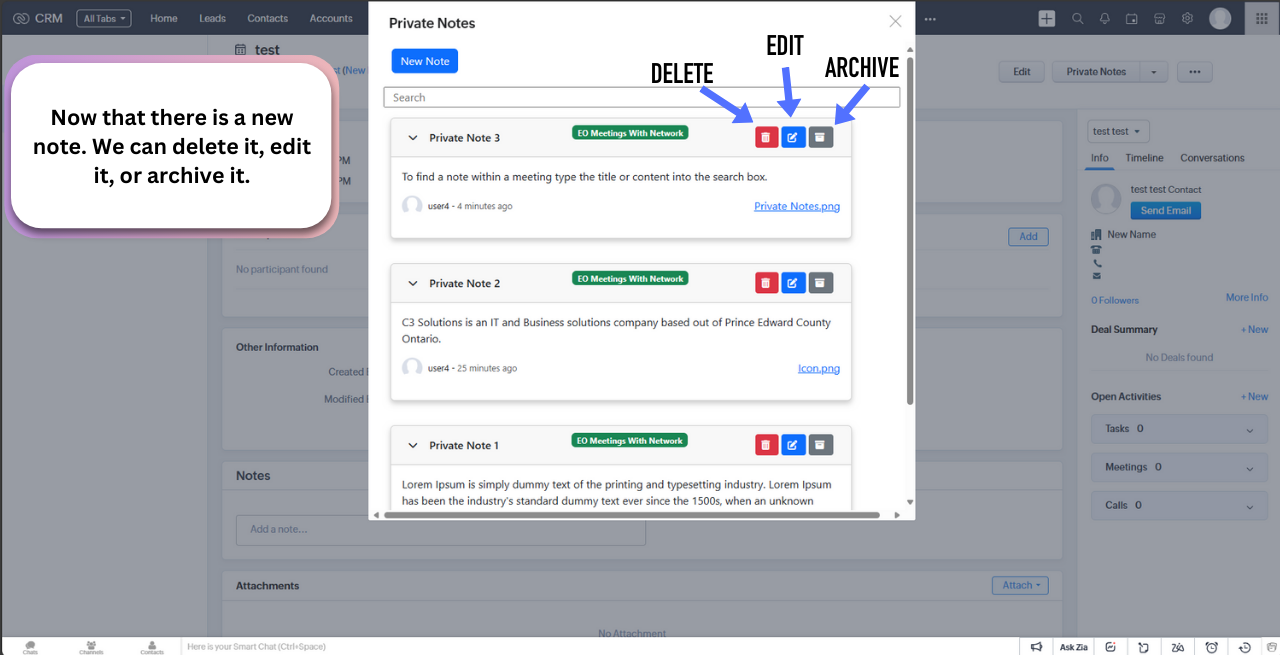
To edit, delete or archive a note you will use these buttons.
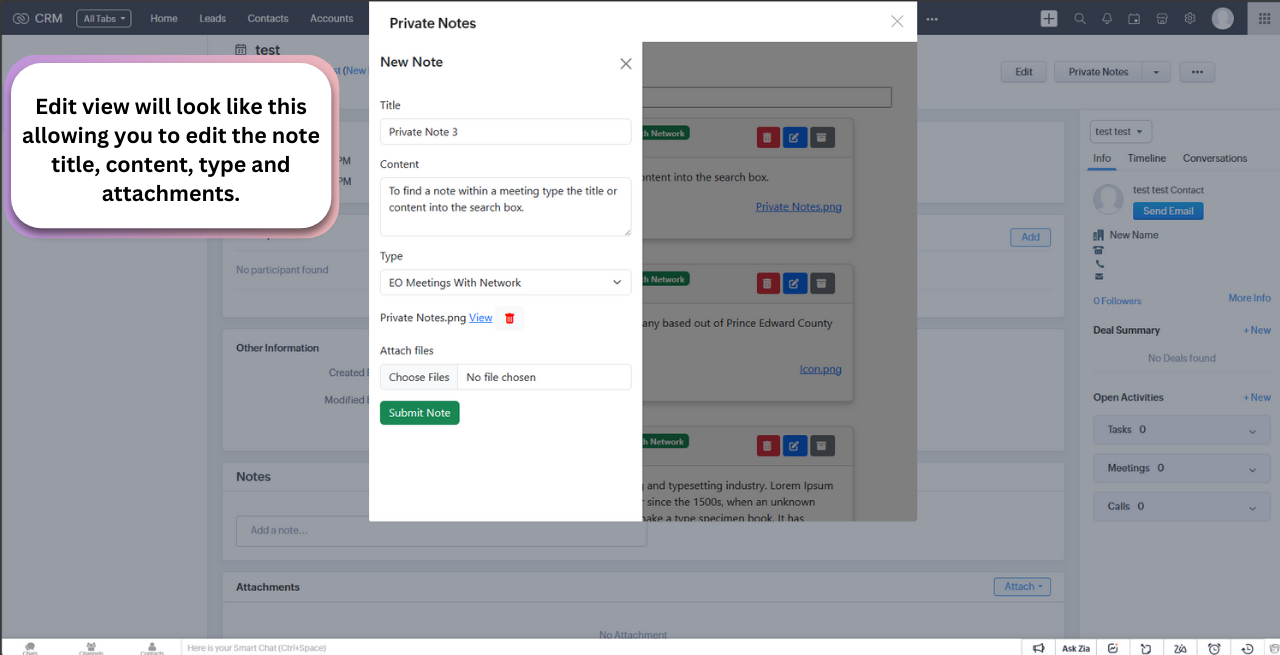
This is what editing a note will look like. You can remove the attachment via the delete icon as seen below.
To view from a contact:
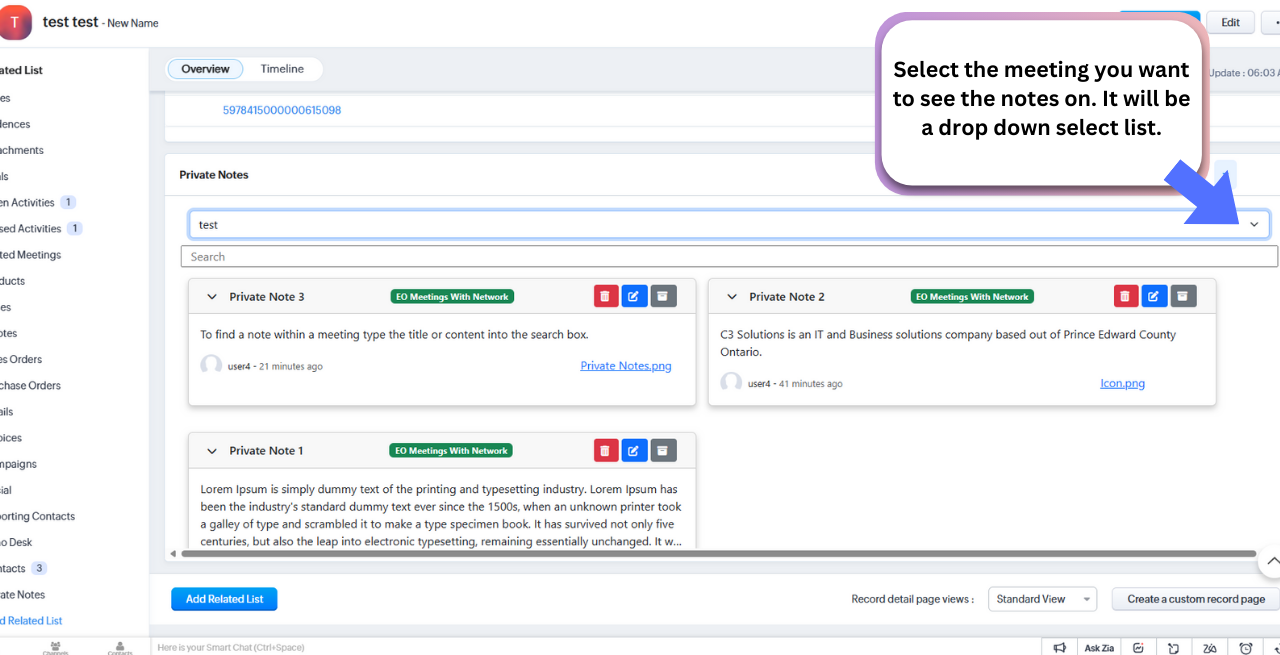
Click the Private Notes Related List
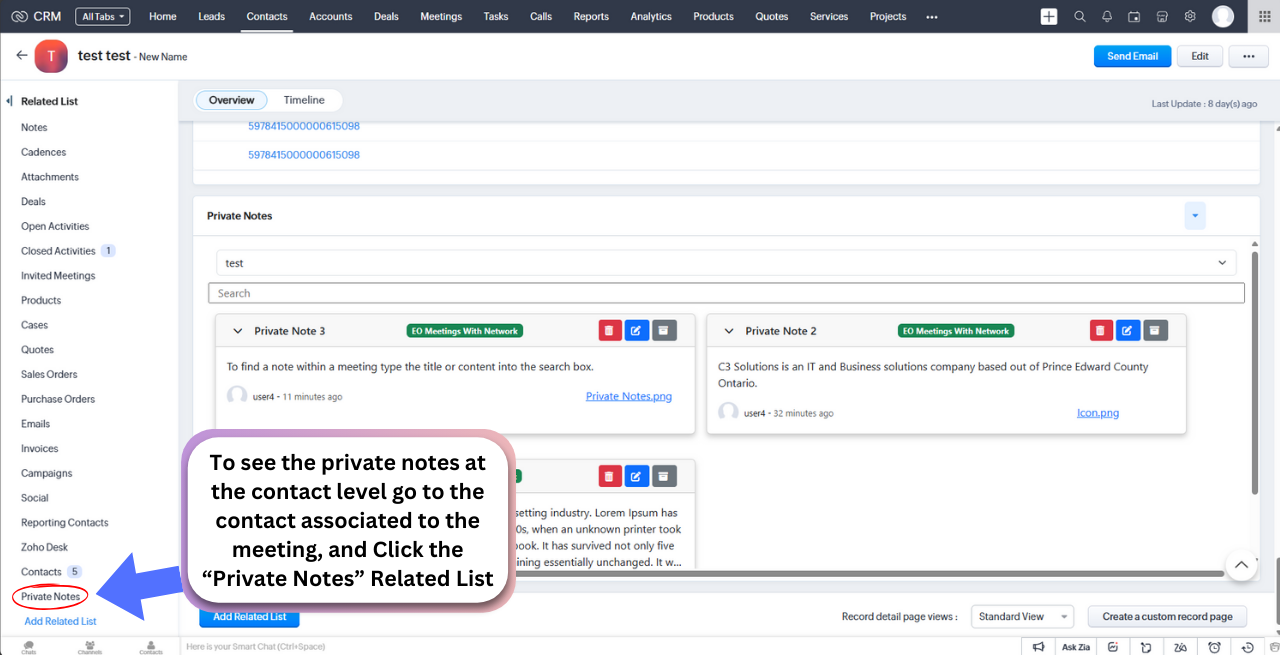
Then here you can see the notes associated to each meeting and the specific contact. However you can only edit, delete and archive note from here.
Archiving
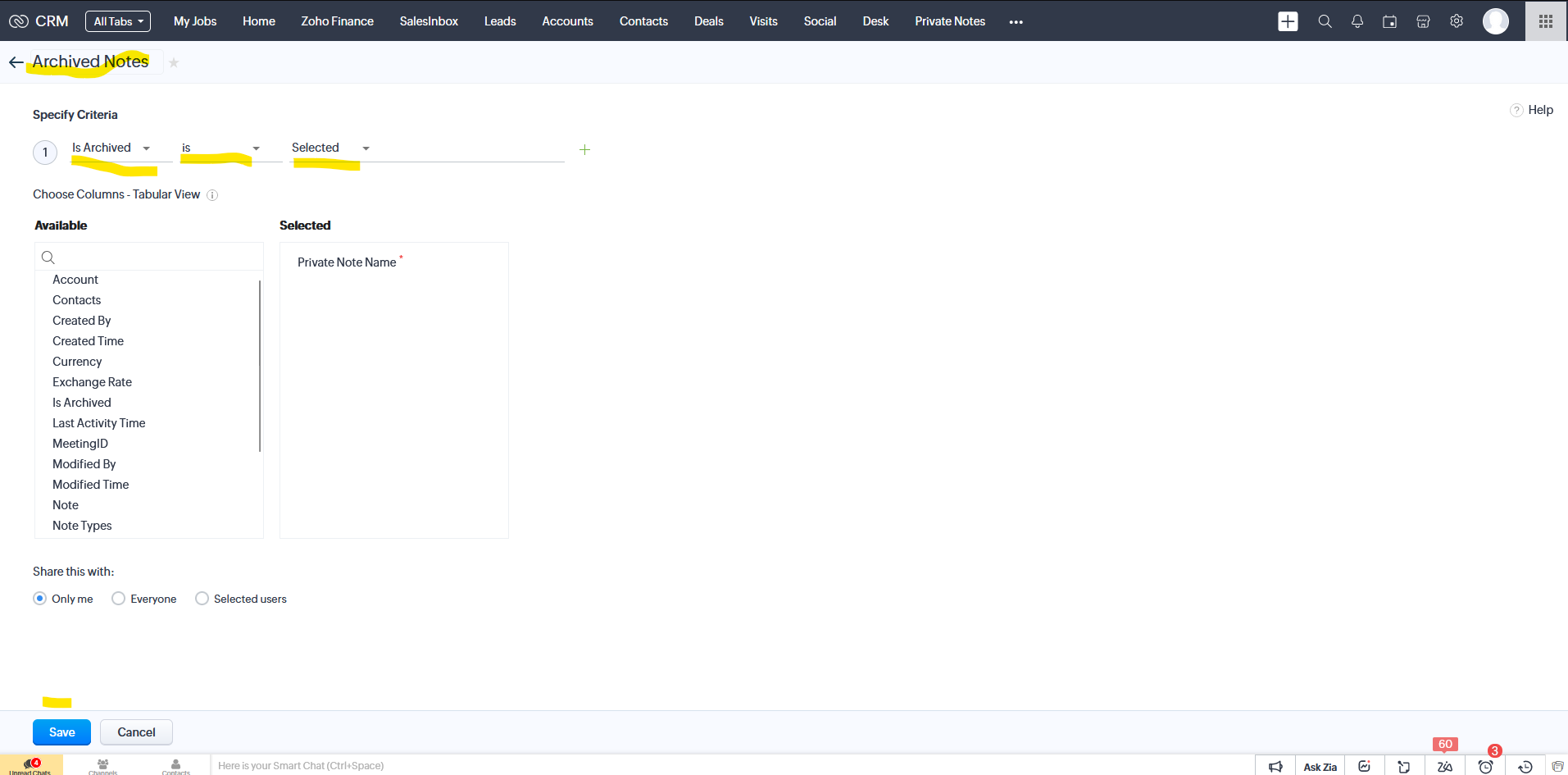
When using the archive feature you must create a "Custom View" within the "Private Notes" Module called "Archived Notes"
To do this make sure the criteria is "Is Archived is Selected"
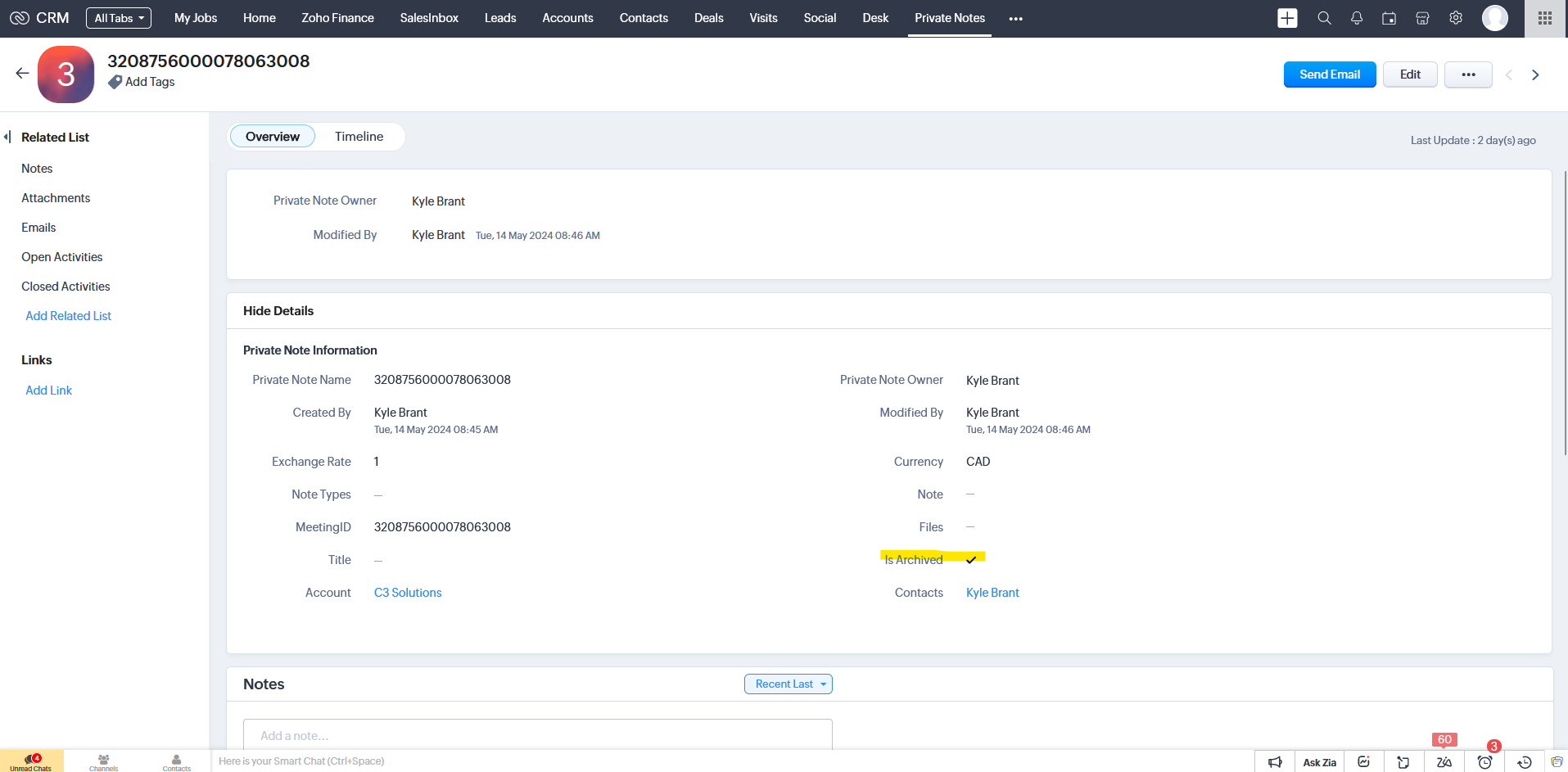
To un-archive a note, you must go into the note record and uncheck the "Is Archived" check box and save
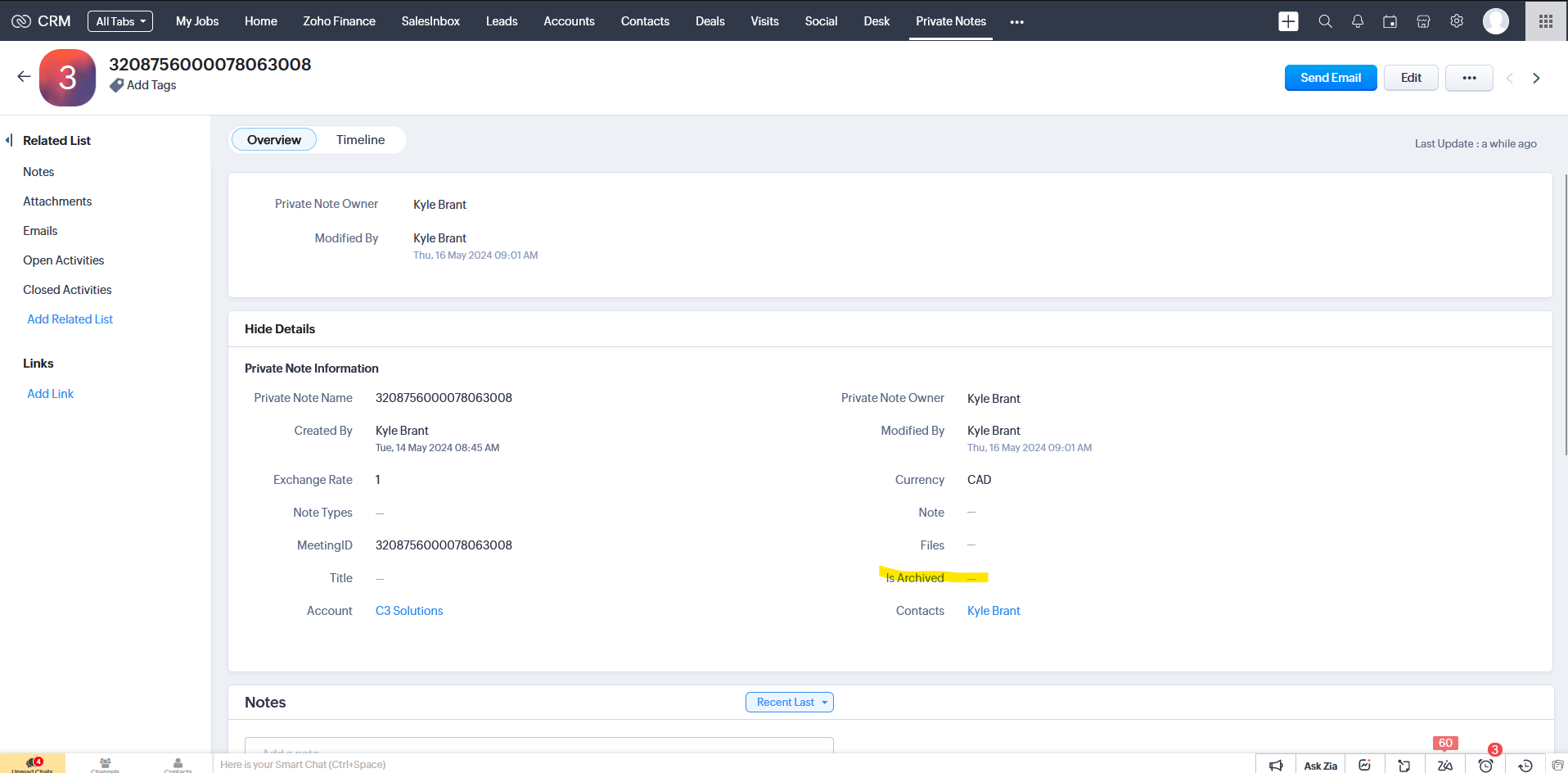
Then the un-archived note will reappear in the private notes widgets.
Thank you for downloading and using Private Notes a Zoho CRM Extension!
If you need any help reach out to our active support team.
If you have any inquiries about custom development head to www.c3-solutions.ca
To create a note you must click the new note button at the top left.
To edit, delete or archive a note you will use these buttons.
This is what editing a note will look like. You can remove the attachment via the delete icon as seen below.
To view from a contact:
Click the Private Notes Related List
Then here you can see the notes associated to each meeting and the specific contact. However you can only edit, delete and archive note from here.
Archiving
When using the archive feature you must create a "Custom View" within the "Private Notes" Module called "Archived Notes"
To do this make sure the criteria is "Is Archived is Selected"
To un-archive a note, you must go into the note record and uncheck the "Is Archived" check box and save
Then the un-archived note will reappear in the private notes widgets.
Thank you for downloading and using Private Notes a Zoho CRM Extension!
If you need any help reach out to our active support team.
If you have any inquiries about custom development head to www.c3-solutions.ca
Related Articles
Terms of Service for Private Notes a Zoho CRM Extension
Terms of Service for Private Notes a Zoho CRM Extension Effective Date: April 16th, 2024 Acceptance of Terms By accessing and utilizing the Private Notes for Zoho CRM, you acknowledge and accept the following Terms of Service. Should you disagree ...Privacy Policy for Private Note a ZOHO CRM Extension
Privacy Policy for Private Notes Zoho CRM Extension Effective Date: May 15th 2023 At C3 Solutions, safeguarding your privacy and ensuring the confidentiality of your information is paramount. This Privacy Policy explains how your data is handled when ...Privacy Policy for ZOHO CRM Weather App
Privacy Policy for ZOHO CRM Weather App Effective Date: November 1st, 2023 At C3 Solutions, we are committed to protecting your privacy and ensuring the security of your information. This Privacy Policy outlines how we collect and use data when you ...Terms of Service for ZOHO CRM Weather App
Terms of Service for ZOHO CRM Weather App Effective Date: November 1st, 2023 1. Acceptance of Terms By accessing and using the ZOHO CRM Weather App, you agree to be bound by these Terms of Service. If you do not agree with any part of these terms, ...Zoho Meeting Requirements
Operating System (OS) that work with Zoho Meeting, Windows 7 or later Mac OS X 10.10 or later Linux OS that supports latest Chrome and Firefox Web browsers that work with Zoho Meeting, Google Chrome, version 55+ Mozzila Firefox, version 54+ Opera ...